Suno.ing Editorial · Editorial Team
Suno AI Music from Idea to Release: A 6-Step Creator Workflow
From Suno prompt planning and Custom Mode to Extend, Suno Studio, and multi-platform publishing — a repeatable Suno AI music workflow for indie creators who ship finished tracks.
This page may include product or affiliate links. Affiliate disclosure · Editorial policy
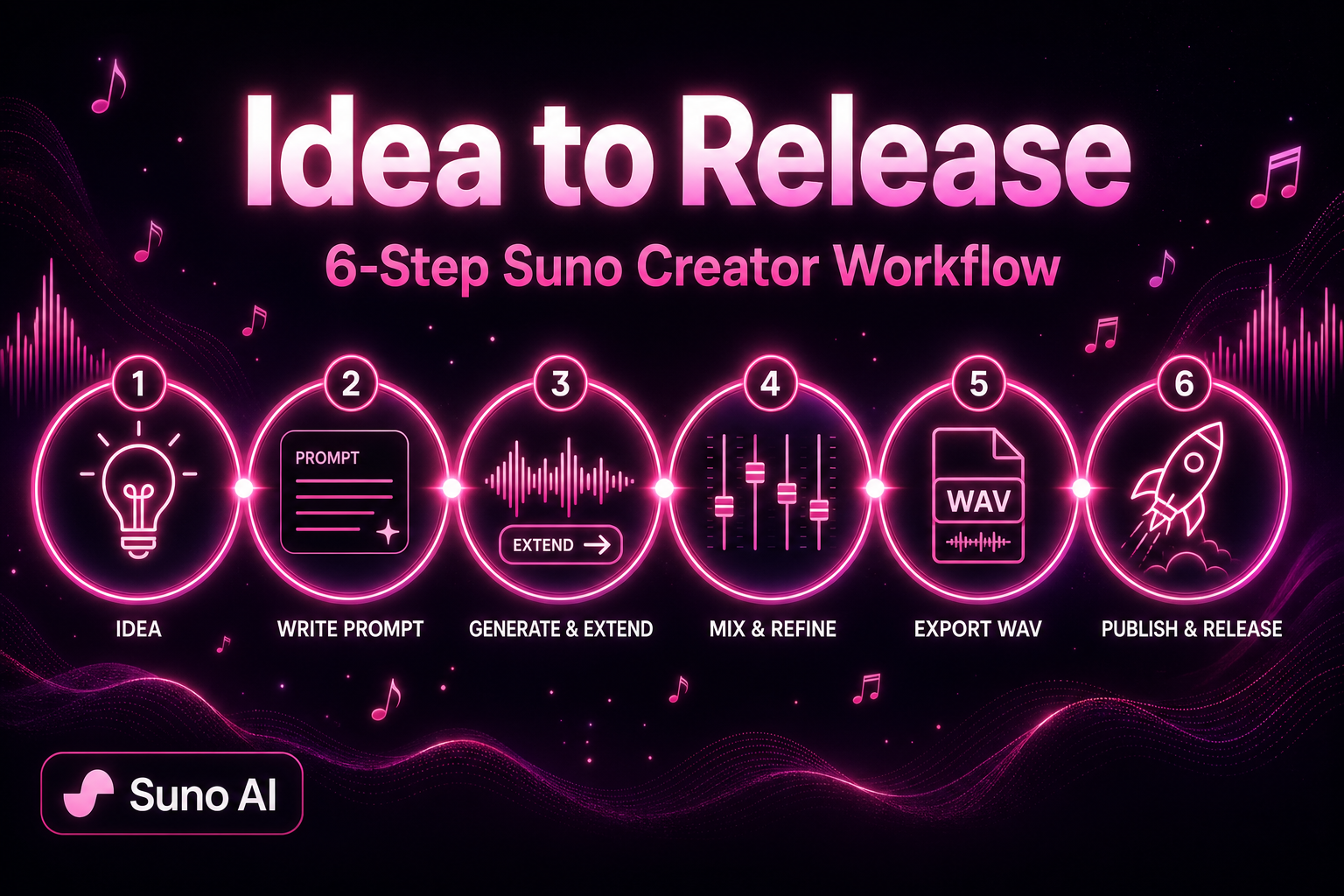
Many creators treat Suno like a gacha machine: write one line, get a nice clip, then stall. Suno AI music that actually ships on YouTube, podcasts, indie games, or music platforms comes from a repeatable workflow — not luck.
This article shares the six-step process I use with Suno V5.5 to finish releasable songs. Whether you are a short-form creator, podcaster, or indie musician, you can turn Suno from a toy into a production line.
Why You Need a Workflow, Not a One-Click Miracle
Simple Mode is great for ideas, but publishable work usually needs:
- Full structure: intro, verse, chorus, bridge, outro — default gens are often one loop
- Consistent identity: series content needs a recognizable sound, not a new producer every track
- Controllable mix: level, EQ, and vocal placement — not raw exports
- Platform readiness: duration, loudness, and metadata differ per channel
Walk through all six steps once, then templatize.
Step 1: Lock the Idea and Draft Your Suno Prompt
Before opening Suno, spend five minutes on:
- Use case: BGM, vocal single, intro/outro, game loop?
- Mood + BPM band: sad 70–85, energetic 120–140, ambient 90–110
- Vocal plan: instrumental, AI vocal, or Suno Voice Clone of your voice?
Custom Mode Style formula
[genre], [subgenre], [mood], [main instruments], [vocal type], [BPM], [production texture]Example (Mandarin pop ballad):
mandarin pop ballad, melancholic, piano and strings, soft female vocal, 78 BPM, intimate room productionTip: Put genre and mood on the first line of Style — Suno weights early tokens heavily. Replace vague words like “nice” with concrete instruments and tags (tape warmth, live drums, subtle reverb).
Enable My Taste for preference learning; train a Custom Model on 6+ originals to lock arrangement habits.
Step 2: Generate an “Extendable” First Version in Custom Mode
Open the Suno AI music generator, choose Custom Mode, and fill:
- Lyrics: split with
[Verse],[Chorus],[Bridge]; 2–4 lines per section - Style: your formula from Step 1
- Title: for library search later
Generate two versions and pick the one with the clearest structure and catchiest chorus as your seed master. Goal: a stable 2–3 minute core with solid rhythm and harmony — not perfection on take one.
First-version checklist
| Check | Pass criteria |
|---|---|
| Chorus clarity | Melody is hum-able after one listen |
| Vocal articulation | No garbled Mandarin; English not overly mushy |
| Arrangement density | Verses not overcrowded; chorus lifts |
| Ending | Natural outro or clean Extend point |
If the chorus works but verses are weak, note timestamps for Studio or a second Extend pass.
Step 3: Build Full Structure with Extend
Suno V5.5 supports long-form tracks (commonly cited up to ~8 minutes, depending on plan/UI), but segmented Extend is more reliable:
- Click Extend at the end of your chosen version
- Keep Style aligned with the seed (or tweak mood words only)
- Add new
[Verse]/[Outro]blocks in the Extend window if needed - Extend in ~30 s–2 min chunks; listen for tempo jumps at joins
Common 4-minute pop template:
Intro(Extend) → Verse(seed) → Chorus(seed) → Verse2(Extend) → Chorus → Bridge(Extend) → Final Chorus → Outro(Extend)Extend costs credits but beats full regens. Fix bad joins in Suno Studio with crossfades instead of burning credits on whole-song rerolls.
Step 4: Polish in Suno Studio
Before export, open Suno Studio (fullest on Premier; Pro tiers per current plan):
- Stem balance: vocals 1–2 dB above bed; push chorus +0.5 dB
- EQ: high-pass vocals below ~80 Hz; tame harsh bed at 8–12 kHz if needed
- Section edits: delete 1–2 bad bars; copy adjacent material to patch
- Loudness: aim ~-14 LUFS integrated for streaming (verify with an external meter)
Studio shines when small fixes avoid full regen. Much “AI sheen” comes from heavy reverb and overly quantized drums — local EQ and timing tweaks often beat new prompts.
See our Suno Studio post-production tutorial for a deeper pass.
Step 5: Export and Organize Metadata
When it sounds right, export:
- WAV: archive master, mixing, distribution
- MP3 320 kbps: video edits, podcast embeds, quick previews
Track metadata for search and platform forms:
| Field | Suggestion |
|---|---|
| Title | Series numbering, e.g. “Night Walk Vol.3” |
| Style tags | 3–5 English keywords from your Suno Style |
| Duration | Exact seconds — YouTube chapters need it |
| Production notes | Custom Model / Persona / Voice used |
For monetization, read current Suno subscription terms on commercial use; free-tier gens are typically personal-only.
Step 6: Publish on a Platform Rhythm
Channels use Suno output differently:
YouTube and short video
- Prefer instrumental or low-vocal beds so voice-over stays clear
- Disclose AI-assisted music in descriptions where required
- Keep one Custom Model or Style family for series cohesion
Podcasts
- Intros 15–30 s, outros 10–20 s — make Extend variations
- -16 LUFS often sits better under speech than -14
Indie games and apps
- Loop beds: check seamless wrap; align downbeats in Studio if needed
- Two intensity layers (explore ambient vs combat upbeat) on one harmonic plan eases transitions
Music platforms (Spotify, etc.)
- You still need artist name, artwork, ISRC via your distributor; Suno export is the start
- Voice Clone tracks require rights to the uploaded vocal
Advanced: Voice Clone + Custom Model + Personas
Moving from one-offs to a signature sound:
- Voice Clone: 60–90 s dry vocal → your AI singer timbre
- Custom Model: 6+ originals → arrangement habits
- Personas: save approved vocal profiles for one-click reuse
Together, track 20 still sounds like you. Voice details: voice clone guide. Prompts: Suno prompt playbook.
Three Common Pitfalls
1. One 8-minute prompt
Control drops on mega-gens. Extend in segments and approve each.
2. Radically different Style every song
Series lose identity. Fix BPM bands + Custom Models.
3. Upload without loudness check
Too hot → platform limiting; too quiet → weak playback. Meter before upload.
Pre-release checklist
- Memorable chorus and complete structure
- Extend joins without obvious tempo jumps
- Comfortable vocal/instrument balance in Studio
- Export format matches platform needs
- Commercial use verified against subscription terms
- Metadata and series naming consistent
Editorial update — 2026-08-08
This page was re-reviewed by Suno.ing Editorial on 2026-08-08. In this pass we:
- Confirmed or added the hands-on Experience section (pass/fail notes)
- Treated product metrics (song-length caps, similarity %) as editorial observations — verify in-app and on suno.com
- Rechecked commercial-terms / disclosure callouts for client and publish use
The frontmatter updatedDate marks this editorial pass, not a bulk timestamp with no re-read.
What we tested (hands-on)
On Suno V5.5 (editorial pass, 2026-08), we ran this publish workflow end-to-end on three mock tracks (pop / instrumental bed / short sting). Notes from Suno.ing Editorial.
Pass / fail log
| Trial | Focus | Result | Keep / fix |
|---|---|---|---|
| A | Custom Mode core before Extend | Pass — joins cleaner | Always lock core first |
| B | Extend ×3 before core stable | Fail — collage joins | One section per Extend; audition |
| C | Publish without filename/versioning | Fail — lost “good” take | Title + date + vN scheme |
| D | Studio trim of awkward bars | Pass | Required before export |
| E | Skip platform loudness | Fail — YouTube felt quiet | Meter per destination |
Failures we hit first
- Treating generate as the finish line — publish quality lives in Extend + Studio + metadata.
- No archive naming — remix chaos within a day.
- One export for all platforms — loudness/format needs per channel.
Recipe we kept
Brief → Custom Mode 2 takes → Extend plan → Studio → WAV archive + platform MP3 → checklist. Corrections: Contact.
Related guides
Summary: Treat Suno as a System, Not a Lottery
The Suno AI music generator shines when work is iterative: seed → Extend → Studio → ship. Template these six steps and you can release weekly instead of occasionally hitting the jackpot.
Open Suno and start creating — Custom Mode your seed master, then Extend your first finished, publishable single.